The Best NVMe SSD for Gaming: WD_BLACK SN850X 1TB
Picked, used, and installed by the techs at York Computer Repair in York & Shiloh, PA.
Last reviewed: October 2026
As an Amazon Associate, York Computer Repair earns from qualifying purchases at no extra cost to you.
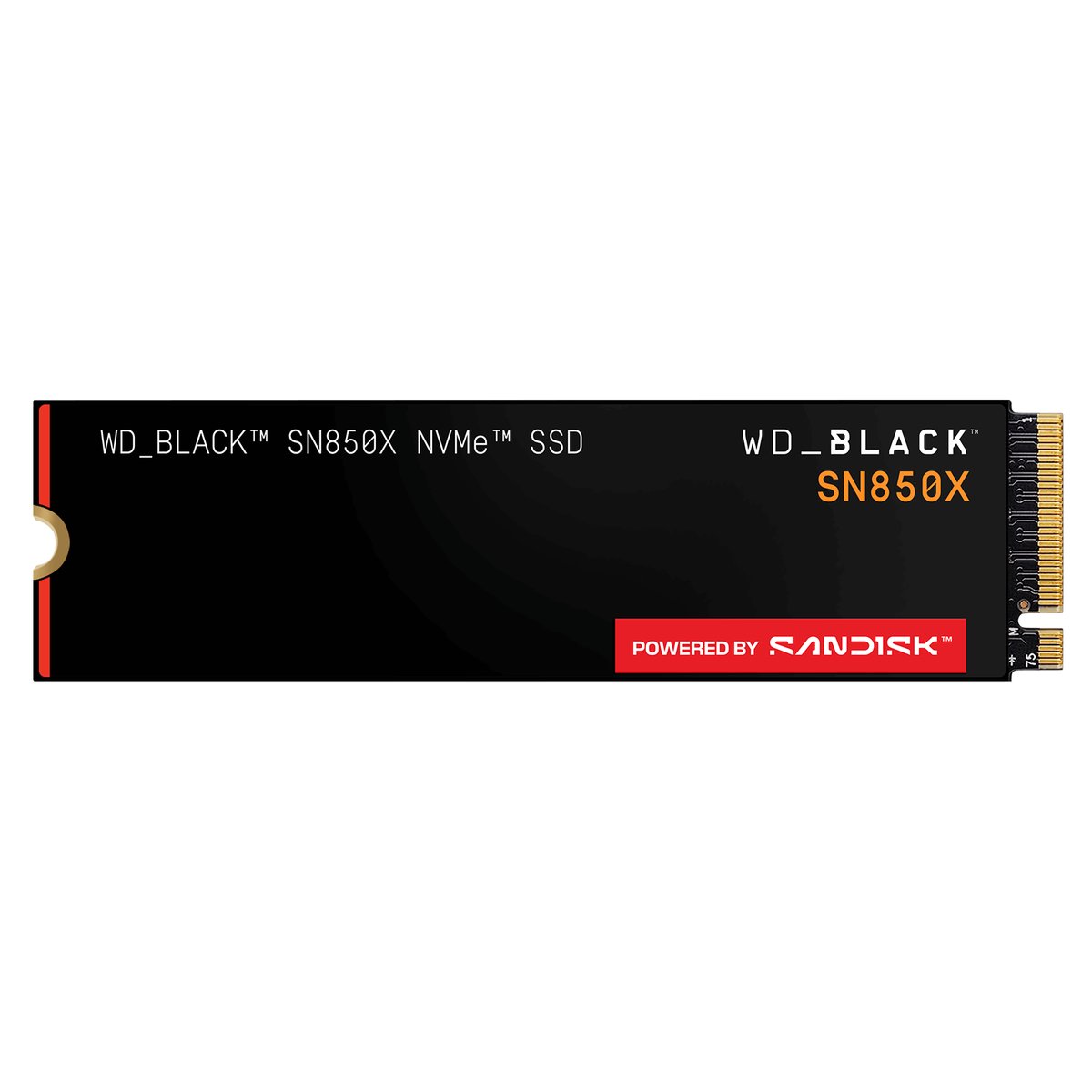
| Capacity | 1TB |
|---|---|
| Interface | PCIe Gen4 x4 (NVMe) |
| Form factor | M.2 2280 |
| Sequential read | Up to 7,300 MB/s |
| Sequential write | Up to 6,300 MB/s |
| Heatsink | Yes on this version |
| Warranty | 5 years |
| Also works in | PlayStation 5 |
| Typical price | ~$268 (was ~$80 in 2024) |
✓ Pros
- Genuinely fast where game loading notices it
- Heatsink version drops into an AM5 build cleanly
- Five-year warranty from a major manufacturer
- Doubles as PlayStation 5 expansion storage
⚠ Watch-outs
- Roughly three times its 2024 price
- Gen4, so it will not top a benchmark chart
- Heatsink can clash with some motherboard M.2 shields
- Overkill if the machine is only for browsing and email
Our take (from a shop that clones a lot of drives)
An SSD is the single biggest upgrade most people can feel. Not the CPU, not the graphics card — storage. If a machine still boots from a mechanical hard drive, moving it to an NVMe drive turns a two-minute startup into fifteen seconds, and it is the change customers come back and thank us for. That has been true for years and it is still the first thing we check on a slow-PC ticket.
Why Gen4 and not Gen5. Gen5 drives are twice as fast on a benchmark. In actual game loading they are barely distinguishable, because loading a game is not one long sequential read — it is thousands of small ones, plus decompression the CPU has to do anyway. Meanwhile Gen5 drives run hot enough to need serious cooling and cost noticeably more. We fit Gen4. When Gen5 pricing and heat come down and games actually exploit it, we will change our minds and say so.
Buy the heatsink version for a desktop. On an AM5 board the primary M.2 slot usually has its own shield, and there are builds where the drive heatsink and the board shield argue with each other — but far more often the bare drive ends up with no cooling at all in a secondary slot and throttles under sustained writes. The heatsink model is the safer default. If your board’s main slot has a good shield already, the bare version is fine and a little cheaper.
On price, we will be straight with you. This drive was around $80 in 2024. It is roughly $268 now. Storage got pulled into the same supply crunch as memory. If you have a working SSD, this is not the year to upgrade it for fun. If you are building, 1TB is still the sensible floor — a single modern game can be 100GB, and a drive that is nearly full slows down.
Who should not buy this: if the machine is for email, browsing and documents, almost any decent NVMe drive will feel identical and you should buy on price. The SN850X earns its money under game loading and heavy file work, not in a browser.
Mistakes we see people make
- Paying extra for a Gen5 drive expecting games to load noticeably faster.
- Buying a 500GB drive in 2026 and filling it with two games.
- Running the drive above ninety percent full and then wondering why it slowed down.
- Fitting a bare drive in an uncooled secondary slot and hitting thermal throttling on big installs.
- Replacing a perfectly good SSD this year, at three times the old price, out of habit.
Specs in plain English
- PCIe Gen4 — deliberately, not Gen5. Games do not load meaningfully faster on Gen5 today.
- Up to 7,300 MB/s read — near the ceiling of what Gen4 can do.
- M.2 2280 — the standard size that fits essentially every modern desktop board.
- Heatsink version — keeps it from throttling during long writes and big installs.
- Five-year warranty — and WD honour it, in our experience.
- PS5 compatible — the same drive works as console expansion storage.
- 1TB is the floor — 500GB fills up before you have finished installing.
How it compares
| Drive | Interface | Best for | Approx. price |
|---|---|---|---|
| WD_BLACK SN850X 1TB (our pick) | Gen4 | Gaming desktops and PS5 | ~$268 |
| Samsung 990 PRO 1TB | Gen4 | Equally good, pick on price | ~$240 |
| WD_BLACK SN7100 1TB | Gen4 | Newer, efficient, slightly cheaper | ~$210 |
| Samsung 9100 PRO 1TB | Gen5 | Benchmarks, not game loading | ~$250 |
Why it's a smart buy (and who agrees with us)
This drive has been a staple of the independent recommendations for a while. Tom’s Hardware’s best-SSDs roundup keeps the SN850X among its picks, noting it takes an improved controller and newer flash to get the most out of the PCIe 4.0 interface, with a heatsink option and a five-year warranty.
PC Gamer’s best M.2 SSD guide arrives at the same conclusion for gaming specifically. The consistent theme across reviewers is the one we give customers over the counter: at this tier, a good Gen4 drive is the value pick and Gen5 is a number on a box.
How we’d build around it
The drive is one part of feeling fast. Here is the rest of what we would put around it.
A 1TB Gen4 NVMe SSD in the M.2 slot nearest the CPU + a B650 motherboard + a Ryzen gaming chip + 16 to 32GB of DDR5-6000 CL30.
- Motherboard: A B650 (AM5) board — three M.2 slots, so you can add drives later. our pick → · see options on Amazon →
- Processor: Ryzen 7 9800X3D — handles the decompression side of game loading. our pick → · see options on Amazon →
- Memory: DDR5-6000 CL30 — also caught in the 2026 price spike — read our warning. our pick → · see options on Amazon →
- Power supply: 750W 80+ Gold — clean power for the whole machine. our pick → · see options on Amazon →
Want a full, guaranteed-compatible parts list for your exact budget? Talk to our York, PA techs — or drop the parts off and we’ll assemble and test the whole machine.
Live price and stock are on Amazon — always check the current price before ordering.
Check Price on Amazon →As an Amazon Associate, York Computer Repair earns from qualifying purchases. This costs you nothing extra.
Don't want to build it yourself? We'll build it for you.
Moving an existing machine onto an NVMe drive means cloning Windows across without losing anything, and that is the part people ask us to handle. We do drive swaps, clones and data migrations every week in York, PA — bring the machine in and we will move it over, verify it boots, and make sure the old drive still has your data until you are sure.
See our custom PC build service →Prefer to talk to a human? Call us at 717-739-9675 (Mon–Fri, 9–5).
Frequently asked questions
Is a Gen5 SSD worth it for gaming?
Not yet, in our view. Gen5 drives double the benchmark numbers but load games barely any faster, because game loading is thousands of small reads plus CPU decompression rather than one big sequential transfer. Gen5 drives also run hotter and cost more. We fit Gen4 drives in gaming builds and will keep doing so until games actually take advantage of Gen5. When that changes we will say so here.
Do I need the heatsink version?
For a desktop, usually yes — it is the safer default. Without cooling, a fast NVMe drive can throttle during big installs or long file copies. The exception is if your motherboard already has a good M.2 shield over the primary slot, in which case the bare drive is fine and a bit cheaper. Check whether the shield and the drive heatsink will physically clash before you order.
Is 1TB enough, or should I get 2TB?
1TB is the sensible floor and enough for most people who play a handful of games at a time. Single modern titles regularly run 100GB or more, so 500GB fills up fast. If you keep a big library installed, capture video, or edit, go 2TB. One thing to know: SSDs slow down when nearly full, so leave yourself roughly ten percent free whatever size you buy.
Why did SSD prices go up so much?
The same reason memory did. Flash and DRAM production has been shifted heavily toward datacentre and AI demand, and consumer supply has not kept up. A drive that was around $80 in 2024 is roughly $268 now. Retail prices have flattened out since late summer, but they have not come back down. If your current SSD works, this is a bad year to replace it for the sake of it. If you are building from scratch you do not have much choice, so buy the capacity you actually need rather than the biggest one you can stretch to.
More parts we trust: see all of our recommended PC parts, or read the motherboard guide and our honest take on DDR5 pricing.