The Best Power Supply for a Gaming PC: Corsair RM750x
Picked, used, and installed by the techs at York Computer Repair in York & Shiloh, PA.
Last reviewed: October 2026
As an Amazon Associate, York Computer Repair earns from qualifying purchases at no extra cost to you.
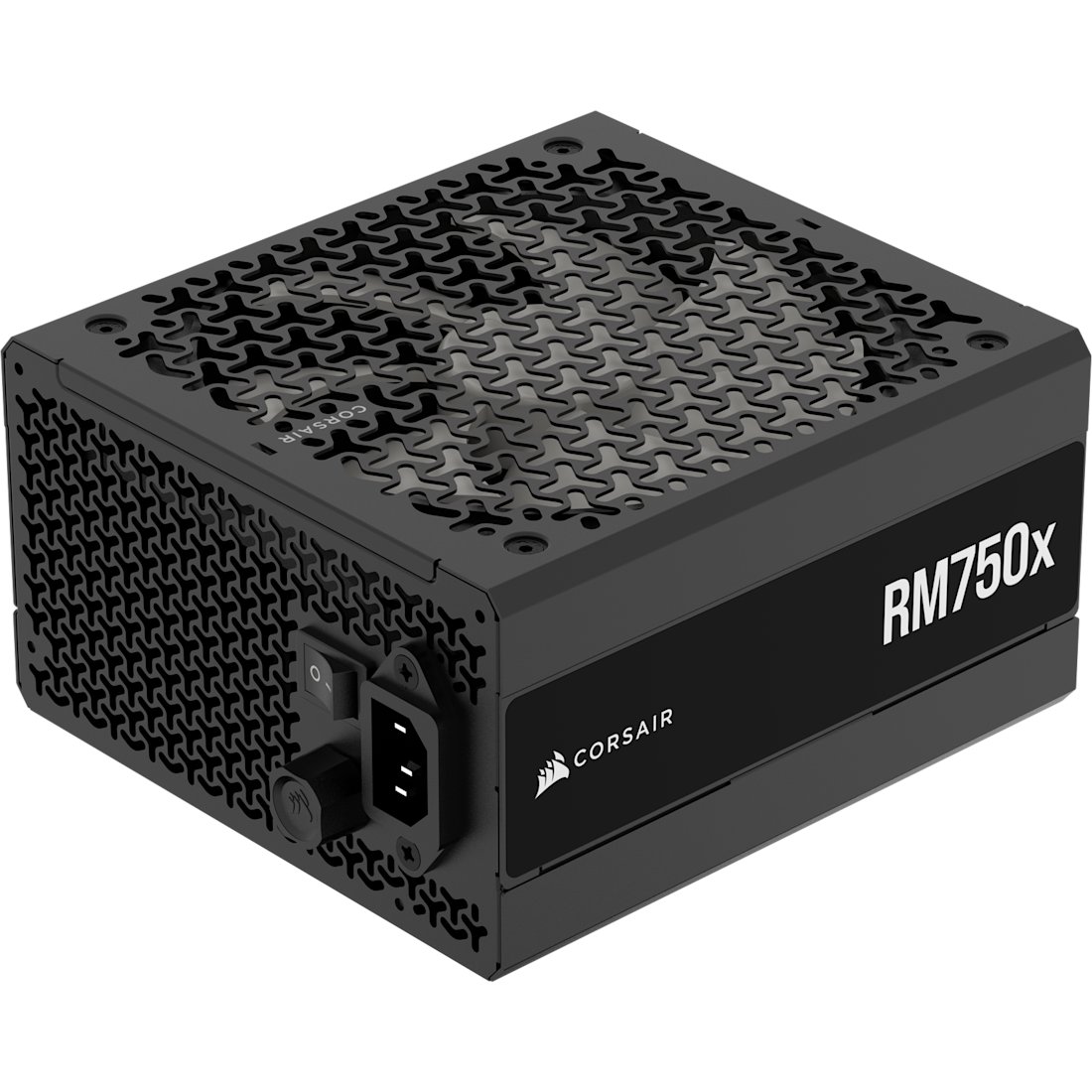
| Wattage | 750W |
|---|---|
| Efficiency | 80 PLUS Gold / Cybenetics Gold |
| Modular | Fully modular |
| Standard | ATX 3.1 / PCIe 5.1 |
| GPU connector | Native 12V-2x6 |
| Fan | Zero RPM mode at low load |
| Warranty | 10 years |
| Right for | A single RTX 5070 Ti or RX 9070 class card |
| Typical price | ~$123 |
✓ Pros
- Fully modular, which makes the machine far easier to service later
- Silent at low load thanks to the zero RPM fan mode
- Native 12V-2x6 connector, so no adapter chain for a modern GPU
- Ten-year warranty from a manufacturer that honours it
⚠ Watch-outs
- More power supply than a budget build needs
- Costs more than the no-name unit that will eventually cost you a motherboard
- Physically longer than some small cases allow
- No RGB, if that is something you wanted
Our take (we have seen what a bad one does)
This is the component we get most emphatic about. Every other part, when it fails, fails by itself. A cheap power supply can fail outward — it can push a voltage spike into the motherboard, the drives and the graphics card on its way out. We have opened machines where a $25 no-name unit took roughly $900 of parts with it. Saving $40 here is the worst trade in the whole build.
How many watts do you actually need? Less than the internet tells you, but leave headroom. A build with a Ryzen 7 9800X3D and an RTX 5070 Ti pulls nowhere near 750W in practice. We specify 750W because modern cards draw sharp, brief spikes well above their rated average, and because it means your next graphics card will not also need a new power supply. If you are building around a budget card like an RX 9060 XT, 650W is genuinely enough and the RM750e or its 650W sibling will do the job for less.
Fully modular is worth it, but not for the reason people say. The usual pitch is cable tidiness. The real benefit is service: when we work on a modular machine six months later, there is not a bird’s nest of unused cables stuffed behind the drive cage trapping heat and hiding screws. It makes the machine easier to live with and easier to fix.
What 80+ Gold actually buys you. Efficiency ratings describe how much wall power becomes computer power rather than heat. Gold is the sensible tier — Platinum and Titanium cost more and save an amount of electricity you will not notice. What matters more than the badge is that the unit comes from a manufacturer with a real warranty, because that is what tells you they expect it to last.
One thing we check on every build: use the separate PCIe or 12V-2x6 cables that came with this supply, seated fully. Daisy-chaining one cable to feed a hungry graphics card, or leaving a connector slightly proud, is behind a good share of the random-shutdown tickets we see.
Mistakes we see people make
- Saving $40 on the one part that can destroy everything else when it fails.
- Buying a 1000W unit for a build that will never draw 400W.
- Daisy-chaining one PCIe cable to feed a hungry graphics card instead of running two.
- Leaving a connector slightly unseated, then chasing random shutdowns for weeks.
- Reusing a decade-old power supply in a brand new build.
Specs in plain English
- 750W — right for one modern graphics card, with headroom for the next one.
- 80+ Gold — the sensible efficiency tier. Higher tiers cost more than they save.
- Fully modular — only the cables you need, which makes servicing far easier later.
- ATX 3.1 with a native 12V-2x6 connector — no adapter octopus for a modern card.
- Zero RPM mode — the fan stops entirely at low load, so it is silent when you are browsing.
- Ten-year warranty — the clearest signal a manufacturer can give about expected life.
- 650W is fine for a budget build — do not overbuy watts you will never draw.
How it compares
| Unit | Wattage | Best for | Approx. price |
|---|---|---|---|
| Corsair RM750x (our pick) | 750W | A single modern GPU, with headroom | ~$123 |
| Corsair RM750e | 750W | Same idea, a little less money | ~$90 |
| Corsair RM850x | 850W | Higher-end card, or future headroom | ~$140 |
| A 650W 80+ Gold unit | 650W | Budget builds around an RX 9060 XT | less |
Why it's a smart buy (and who agrees with us)
PC Gamer’s power supply guide calls the RMx line the best choice for most PC builders, combining high performance with reasonable prices, and notes its Cybenetics Gold rating for both efficiency and noise.
Tom’s Hardware’s best-PSU roundup covers the same tier and reaches similar conclusions about which units are worth buying. Power supplies are one of the few categories where independent testing really matters, because the specification printed on the box is not always what the unit delivers — which is exactly why we stick to units that have been measured by someone.
How we’d build around it
The power supply feeds everything else. Here is the build we would size this one around.
Corsair RM750x + a Ryzen gaming chip + an RTX 5070 Ti or RX 9060 XT + a B650 motherboard + a 1TB Gen4 NVMe SSD.
- Graphics card: RTX 5070 Ti class — the part that actually decides your wattage. our pick → · see options on Amazon →
- Budget graphics card: RX 9060 XT 16GB — 650W is plenty if you go this route. our pick → · see options on Amazon →
- Processor: Ryzen 7 9800X3D — efficient for its performance. our pick → · see options on Amazon →
- Motherboard: A B650 (AM5) board — where the 24-pin and CPU power land. our pick → · see options on Amazon →
Want a full, guaranteed-compatible parts list for your exact budget? Talk to our York, PA techs — or drop the parts off and we’ll assemble and test the whole machine.
Live price and stock are on Amazon — always check the current price before ordering.
Check Price on Amazon →As an Amazon Associate, York Computer Repair earns from qualifying purchases. This costs you nothing extra.
Don't want to build it yourself? We'll build it for you.
If you are not sure what wattage your build actually needs, ask us before you buy — overbuying is wasted money and underbuying causes random shutdowns that are miserable to diagnose. We size power supplies for real builds in York, PA every week, and if you already have a machine that shuts down under load, that is a symptom we know well.
See our custom PC build service →Prefer to talk to a human? Call us at 717-739-9675 (Mon–Fri, 9–5).
Frequently asked questions
How many watts do I actually need?
For a single modern graphics card and a Ryzen gaming chip, 650W to 750W covers it with headroom. We specify 750W when there is a higher-end card involved, because modern cards draw brief spikes well above their average and because it means the next graphics card will not also need a new power supply. A budget build around an RX 9060 XT is genuinely fine on 650W. Beyond that you are buying watts you will never draw.
Is 80+ Gold worth it over Bronze?
Yes, but mainly as a proxy for build quality rather than for the electricity saving. The efficiency difference will not show up on your power bill in any way you notice. What the Gold tier tends to indicate is better internal components and a longer warranty, and those are the things that determine whether the unit dies quietly or takes your motherboard with it.
What happens if the power supply is too weak?
Usually random shutdowns and restarts under load — the machine is fine browsing and dies twenty minutes into a game. It is one of the most commonly misdiagnosed faults we see, because people assume overheating or a bad graphics card. If a machine only crashes when it is working hard, the power supply is one of the first things we test.
Do I need ATX 3.1 and the 12V-2x6 connector?
If you are buying a current-generation graphics card, it makes life simpler. Those cards want a 12V-2x6 connector, and a supply with one native cable is cleaner and safer than an adapter splitting several older connectors. Older supplies work with the included adapters, but we would rather fit a unit with the proper cable and not think about it again.
More parts we trust: see all of our recommended PC parts, or read our graphics card pick, which is the part that decides how many watts you need.