The Best AM5 CPU Cooler: ARCTIC Liquid Freezer III Pro 280
Picked, used, and installed by the techs at York Computer Repair in York & Shiloh, PA.
Last reviewed: October 2026
As an Amazon Associate, York Computer Repair earns from qualifying purchases at no extra cost to you.
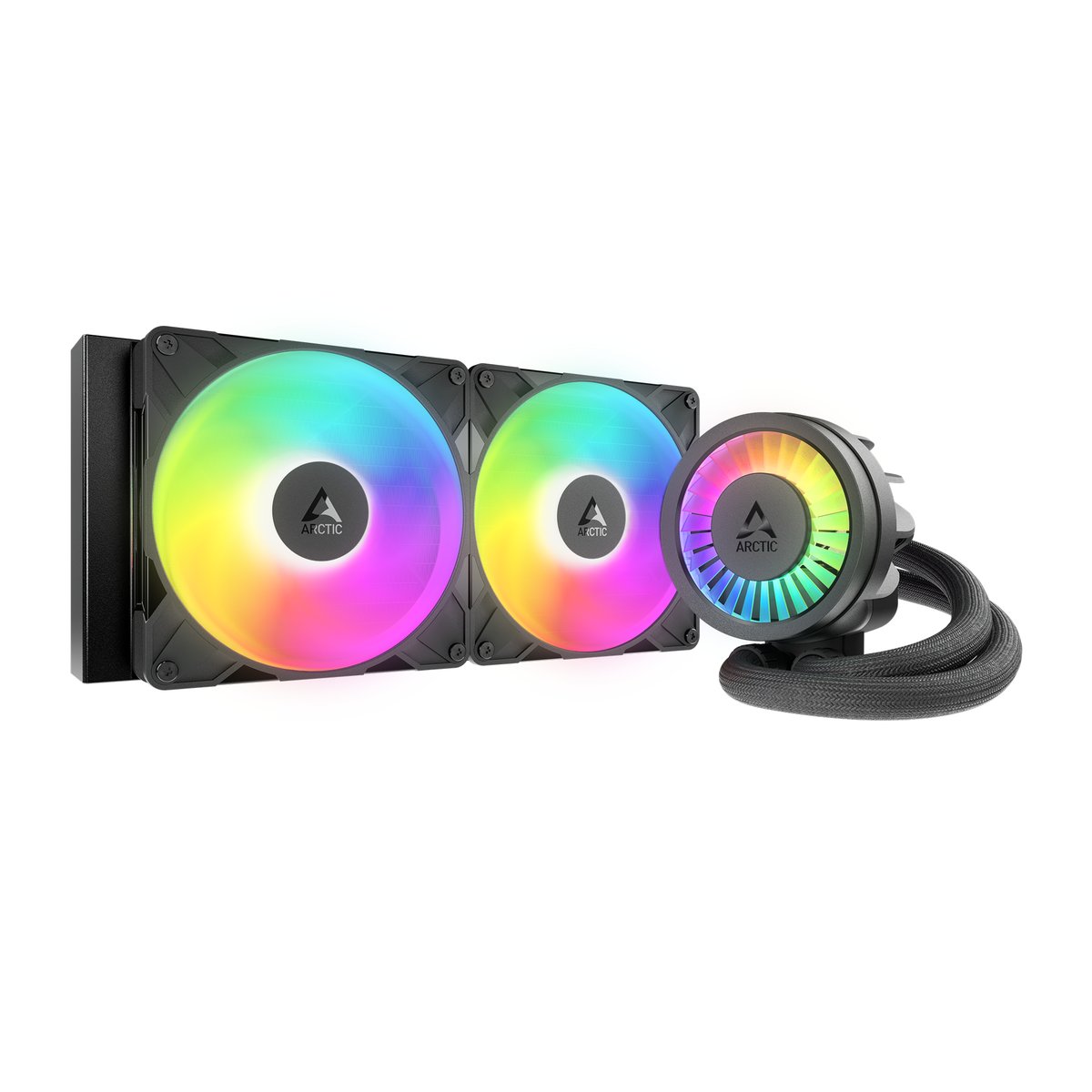
| Type | All-in-one liquid cooler |
|---|---|
| Radiator | 280mm, 38mm thick |
| Fans | 2 x 140mm PWM |
| VRM fan | Yes — cools the board power stages |
| Sockets | AM5, AM4, LGA1700, LGA1851 and more |
| Lighting | A-RGB |
| Thermal paste | Pre-applied |
| Typical price | ~$72 |
✓ Pros
- Cools like an AIO costing two or three times more
- 38mm radiator holds more coolant than the usual 27mm
- Extra fan cools the motherboard power stages
- Thermal paste pre-applied, mounting on AM5 is straightforward
⚠ Watch-outs
- Needs a case with 280mm radiator clearance — measure first
- Not the quietest option at full load
- A pump is one more thing that can eventually fail
- Thicker radiator can foul cases with tight top clearance
Our take (air versus liquid, honestly)
Start with the question nobody asks first: do you need liquid cooling at all? For most builds, no. A good dual-tower air cooler handles a modern gaming chip perfectly well and has no pump to fail. We fit air coolers constantly and they are the lower-risk choice. So why do we still stock this one? Because when you want a cooler running a hot chip in a case with limited top clearance, a 280mm AIO does a job an air tower cannot, and this particular unit does it for air-cooler money.
What makes this one different. Most AIO radiators are 27mm thick. This one is 38mm. That extra thickness holds more coolant and gives the fans more surface to work against, which is why it lands near the top of independent cooling charts while costing a fraction of the units it beats. The other detail we appreciate is the small fan sitting over the pump block: it blows across the motherboard’s power stages, which on a hot chip is a genuinely useful bit of engineering rather than a marketing bullet.
Where an AIO genuinely wins. Tall air coolers foul memory with tall heat spreaders, block the first expansion slot on some boards, and put a heavy lever arm on the motherboard. If you have a case with a 280mm radiator mount and a chip that runs warm, the AIO sidesteps all of that and keeps the heat moving straight out of the case.
What we will not do, and why. We do not build or service custom water-cooling loops. They look fantastic and they are a maintenance commitment most people do not want — coolant changes, fittings that need checking, and a failure mode that ends in liquid on live components. A sealed all-in-one has none of that. If someone comes in wanting a custom loop, we point them to a builder who specialises in it.
Who should skip this: anyone with a case that will not take a 280mm radiator — measure first, because this is the most common reason a cooler goes back. Anyone building the quietest possible machine may also prefer a large air cooler, since there is no pump whine at all. And for a modest chip like a Ryzen 5 7600X, a $35 air cooler is honestly all you need.
Mistakes we see people make
- Ordering a 280mm AIO for a case that only takes 240mm.
- Forgetting the radiator is 38mm thick and finding it fouls the memory.
- Buying liquid cooling for a chip that a $35 air cooler would handle.
- Mounting the radiator so the pump sits at the highest point in the loop, which lets air collect in it.
- Assuming an AIO never needs replacing — the pump is a wear item.
Specs in plain English
- 38mm thick radiator — the reason it outperforms AIOs that cost far more.
- 280mm size — fits cases that will not take a 360mm, and cools better than a 240mm.
- Two 140mm PWM fans — larger and slower than 120mm fans for the same airflow, so less noise.
- VRM fan over the pump — cools the motherboard power stages too, which matters on a hot chip.
- Pre-applied thermal paste — one less thing to get wrong on the first build.
- Broad socket support — AM5 and AM4 included, so it survives a platform change.
- Measure your case first — 280mm radiator clearance is the number one fitment problem.
How it compares
| Cooler | Type | Best for | Approx. price |
|---|---|---|---|
| ARCTIC Liquid Freezer III Pro 280 (our pick) | 280mm AIO | Hot chips in cases with the clearance | ~$72 |
| ARCTIC Liquid Freezer III Pro 360 | 360mm AIO | Bigger cases, a little more headroom | ~$80 |
| Thermalright Peerless Assassin 120 SE | Air | Most builds, honestly | ~$35 |
| Lian Li Galahad II LCD 280 | 280mm AIO | If you want a screen on the pump | ~$229 |
Why it's a smart buy (and who agrees with us)
Tom’s Hardware’s review of the Liquid Freezer III Pro describes it as one of the best performing coolers they have tested and one of the cheapest, and notes ARCTIC refined the AM5 mounting specifically, with claimed improvements of up to 9 degrees Celsius.
The broader picture is the same in their best CPU coolers roundup and in GamersNexus’s cooler mega-charts, which are the most rigorous public cooler data anywhere. The Liquid Freezer line consistently sits near the top on thermals while sitting near the bottom on price, and that combination is rare enough to be worth pointing at.
How we’d build around it
A cooler only matters in context. Here is the build we would put this one on.
ARCTIC Liquid Freezer III Pro 280 + a Ryzen 7 9800X3D + a B650 motherboard + a case with 280mm radiator clearance.
- Processor: Ryzen 7 9800X3D — ships with no cooler, and rewards a good one. our pick → · see options on Amazon →
- Motherboard: A B650 (AM5) board — the VRM fan blows right across its power stages. our pick → · see options on Amazon →
- Air alternative: Thermalright Peerless Assassin 120 SE — if your case will not take a radiator. our pick → · see options on Amazon →
- Power supply: 750W 80+ Gold — feeds the pump and fans alongside everything else. our pick → · see options on Amazon →
Want a full, guaranteed-compatible parts list for your exact budget? Talk to our York, PA techs — or drop the parts off and we’ll assemble and test the whole machine.
Live price and stock are on Amazon — always check the current price before ordering.
Check Price on Amazon →As an Amazon Associate, York Computer Repair earns from qualifying purchases. This costs you nothing extra.
Don't want to build it yourself? We'll build it for you.
Cooler fitment is the single most common thing people get wrong when buying parts online — wrong socket bracket, radiator that will not fit, air cooler that blocks the memory. Tell our free tool what case and chip you have and it will match a cooler that actually fits, or bring the machine in and we will fit it, re-paste it and test the temperatures under load before it leaves.
See our custom PC build service →Prefer to talk to a human? Call us at 717-739-9675 (Mon–Fri, 9–5).
Frequently asked questions
Do I actually need liquid cooling?
Usually not. A good dual-tower air cooler handles a modern gaming chip fine and has no pump to fail. We fit air coolers constantly. An AIO makes sense when your case has the radiator mount, your chip runs hot, or a tall air cooler would foul your memory or block a slot. It is a fitment and heat decision, not a status one, and anyone telling you air cooling is obsolete is selling something.
Will a 280mm radiator fit my case?
Check before you order — this is the number one reason a cooler comes back. You need a case that lists 280mm radiator support, and you need to check thickness clearance too, because this radiator is 38mm rather than the usual 27mm and some cases are tight at the top once memory is installed. If you are unsure, send us the case model and we will tell you.
Do you build custom water-cooling loops?
No, and we will tell you why rather than just decline. Custom loops need coolant changes and fitting checks, and when one fails it puts liquid onto live components. A sealed all-in-one gives you nearly all of the cooling with none of that maintenance. If you specifically want a custom loop, we would rather point you at a builder who specialises in them than do a mediocre job of it.
How long does an AIO last?
Typically five to seven years before the pump becomes the weak point. That is worth knowing when you compare it to an air cooler, which has one fan and effectively lasts forever. It is not a reason to avoid AIOs, just a reason to know what you are buying. If a machine that used to be quiet starts making a warbling or grinding noise from the pump block, bring it in before it stops entirely.
More parts we trust: see all of our recommended PC parts, or compare this against the air cooler we fit most often.